
Linking a Foreign Card to WeChat Pay (2026) — Steps, Fees, Limits, and Common Failure Fixes
By PandaTrip Editorial · 4 min read · Verified 2026-09-06
Verified 2026-09-06
First-time visitors often underestimate the role WeChat plays in daily life in China: chatting, paying, ordering food, and booking reservations all happen inside this one app. Any part of a trip that involves dealing with people in China — joining WeChat groups, eating at small restaurants — makes WeChat nearly impossible to avoid. This guide explains how to link an international bank card to WeChat Pay and how it differs from Alipay in practice.
Step 1: Register WeChat
Search for WeChat on the App Store / Google Play (the international version — note that this is not WeCom, the enterprise version). Register with your home-country phone number, pick the correct country code, and receive the SMS verification code; a Chinese number is never required.
After registering, you can switch the interface to your language first: Me → Settings → General → Language(我 → 设置 → 通用 → 多语言). Payment features are unaffected by the interface language.
Step 2: Link an International Bank Card
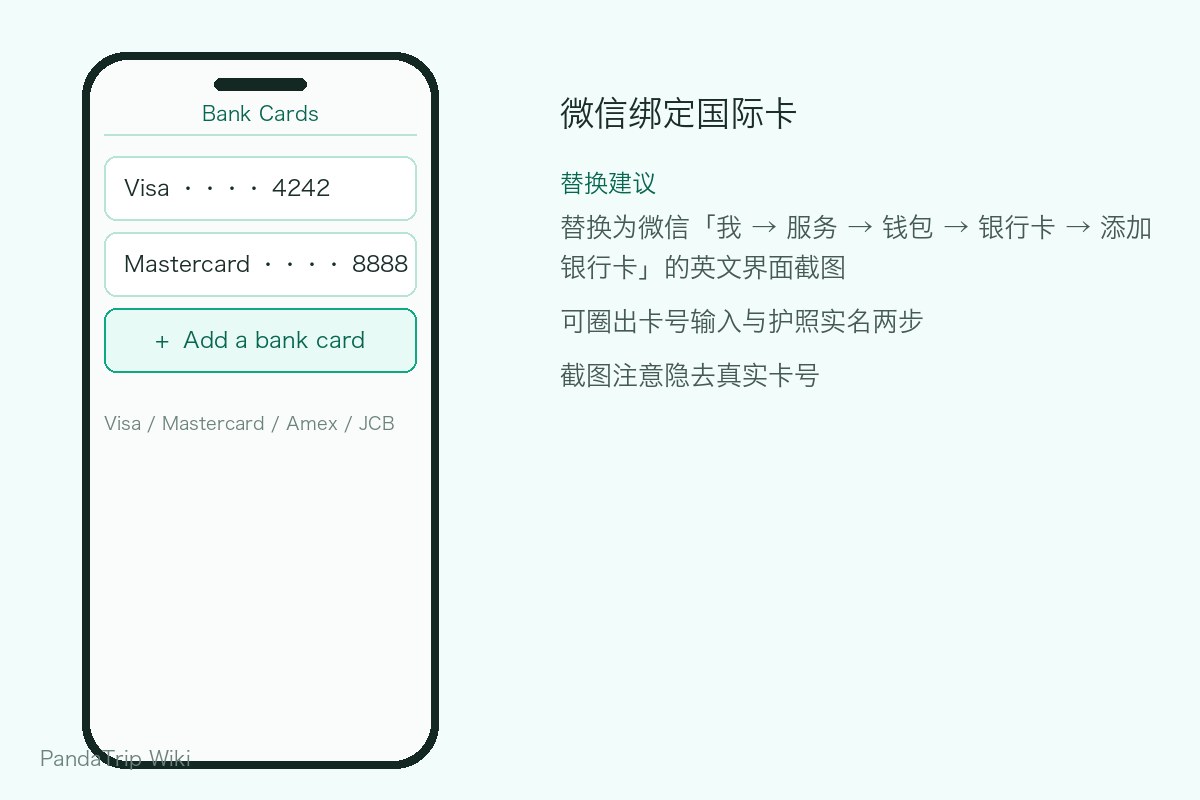
Path: Me → Services → Wallet → Bank Cards → Add a Bank Card(我 → 服务 → 钱包 → 银行卡 → 添加银行卡).
Major card networks are supported, including Visa, Mastercard, American Express, JCB, and Discover. Follow the prompts to enter the card number, expiry date, CVV, and billing details; once the link succeeds, the card appears in your wallet.
After linking a card for the first time, it is worth completing identity verification (upload the photo page of your passport + record a short face video). Without verification you can still make small payments, but the limits are very low; once verified, your limits are essentially the same as on Alipay.
Fees and Limits
The basic rules are the same as Alipay's:
| Transaction amount | Fee |
|---|---|
| Per transaction ≤ ¥200 | Free |
| Per transaction > ¥200 | ~3% |
Extra 2026 promotion (announced alongside China's APEC year): users who link an international card for the first time before December 31 enjoy, after completing their first purchase, 90 consecutive calendar days with the 3% fee waived within a daily quota of ¥1,000. Exchange rates settle at the card network's near-real-time rate; the payment confirmation page shows the converted amount, which you should check before confirming.
Once a foreign card is linked, per-transaction and annual limits apply; for exact figures, follow the in-app "Help & Feedback" pages. If a payment is declined and the amount is small, you have most likely hit a limit or the bank's risk control — switch to Alipay or cash.
Making Payments in Practice
- Scan the merchant's code (you scan): "+" in the top-right corner of the home screen → Scan → point at the merchant's QR code → enter the amount → confirm.
- Show your payment code (merchant scans): Me → Services → Money(我 → 服务 → 收付款), then show the code to the clerk.
- If you are not sure which one to use, just hand your phone to the clerk — that is the most common way to handle it.
WeChat Pay vs. Alipay
Advantages: the ecosystem — restaurant scan-to-order, Mini Programs, reservations through Official Accounts — lives inside WeChat. QR ordering in restaurants, attraction reservations, and hotels sending their location are almost always WeChat Mini Programs; without WeChat, these situations get noticeably inconvenient. Since 2026, WeChat Pay has also integrated PayPal (first phase for US users) and accepts direct QR payments from more than 40 overseas wallets in 13 countries and regions — you can even pay with your home-country wallet app.
Disadvantages: the wallet sits several menus deep and the interface is not friendly to new users; customer service has a mediocre reputation; red envelopes, transfers, and wealth-management features are closed or restricted for foreign-card users.
The practical takeaway: Alipay as your main wallet, WeChat as your gateway to the ecosystem — install both, link cards in both, and switch depending on the situation.
Troubleshooting Common Failures
- Card linking rejected: first confirm that your issuing bank has enabled "online / card-not-present payments" and "overseas transactions" (turn these on in your mobile banking app or call the bank). This is the single most common cause of failure.
- "Limit exceeded" message: wait 24 hours or retry with a smaller amount; consecutive declines trigger risk control, so stop trying for the day and switch to Alipay.
- Identity verification under review: passport verification occasionally takes a few hours to a day; small payments still go through in the meantime, while larger ones are restricted.
- Slow refunds: refunds return to your foreign card along the original route and take 5–14 business days to post — this is the normal cycle.
Complete the card linking before you depart — the first purchase after landing is often a bottle of water paid by QR code, and setting everything up in advance saves you from fumbling at the airport.
Frequently asked questions
WeChat Pay or Alipay — which should I link my foreign card to?
Link both. Acceptance across China is nearly identical, but a few merchants accept only one of the two. Registration is free on both, so keeping a backup is extra insurance.
With a foreign card linked, can I send red envelopes (hongbao) or transfer money to friends?
No, or only partially. Red envelopes and personal transfers are largely reserved for users with a mainland Chinese bank card; for foreign-card users the focus is paying merchants — scanning, showing your payment code, online shopping, food ordering, and ride-hailing all work normally.
This guide is licensed under CC BY-NC-ND 4.0 — you may share it as-is with attribution to PandaTrip; commercial use and edits are not permitted.License